Docs > BrainDumper
BrainDumper
BrainDumper is where work starts before it's a task: a place to write things down as they come to mind, that turns them into organized, classified tasks for you.
The idea
Most tasks don't start as a clean, well-formed to do item. They start as a message: "we need to fix the login page before Friday", or a voice note, or a half-formed idea in a meeting. BrainDumper lets you write that down as is, in a chat, and turns the actionable parts into real tasks automatically.
Subjects
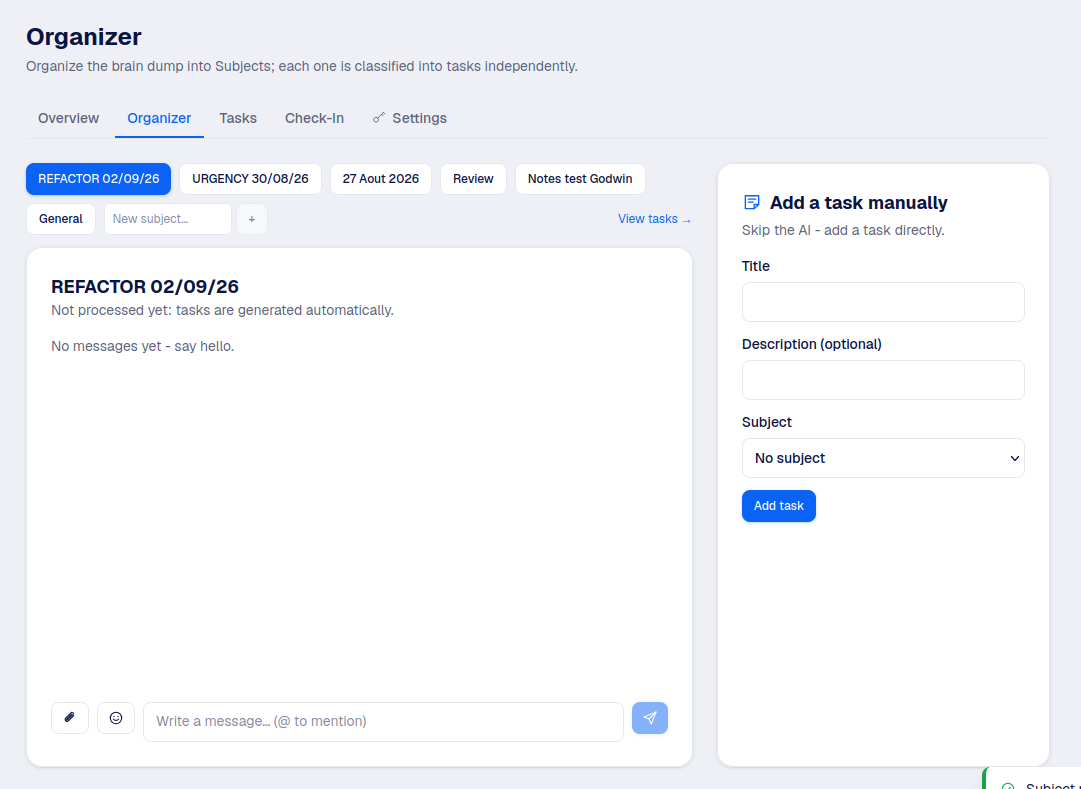
Each office's BrainDumper is organized into Subjects: topics you create to group related messages and tasks (a project name, a client, a theme, whatever makes sense for that office). Every office starts with one default Subject, and you can create as many as you need.
From chat to task
Write in a Subject's chat like you would in any messaging app. When a message describes something actionable, it gets picked up and turned into a task under that Subject, assigned if you named someone, with a priority and a due date if you mentioned one.
Good to know
This runs in the background, so a task can take a short moment to appear after you send the message. Nothing is lost while it processes.
Adding a task manually
If you'd rather skip the chat entirely, a manager can add a task directly from the BrainDumper page: a title, an optional description, and which Subject it belongs to.
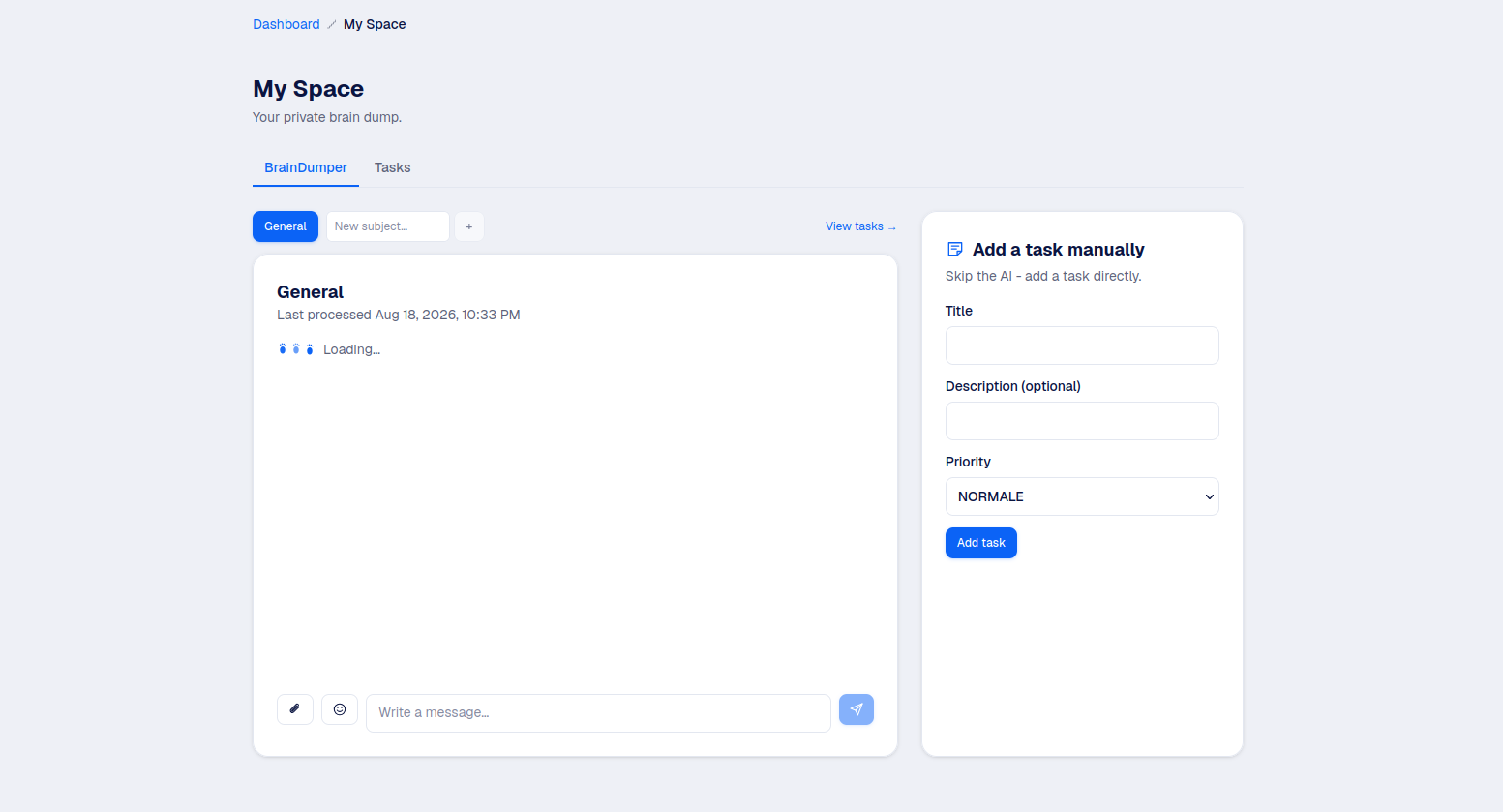
Your own BrainDumper
My Space has the same mechanism, private to you: write things down, get tasks out of it, with no manager approval step since only you can see them.