
Docs > Performance
Performance
Numbers instead of guesses: how much got done, how reliably, and by whom.
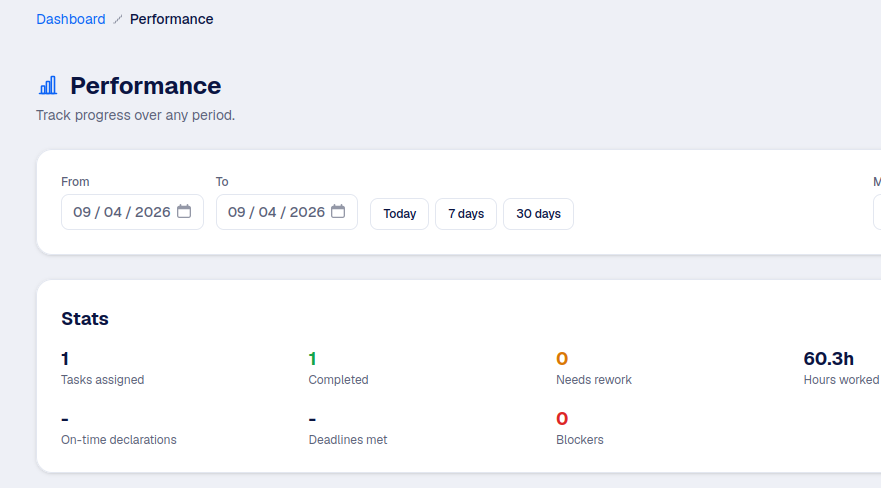
Individual stats
Anyone can see their own stats for a chosen date range. An Authority can see anyone's. The numbers cover:
- Tasks assigned and tasks completed in the period.
- Sent back for rework: how often a manager didn't approve on the first try.
- Hours worked, from the timer sessions on In progress tasks.
- On-time declaration rate: how often check-in happened when it was supposed to.
- Deadlines met: the share of tasks with a due date that were validated before it.
- Blockers encountered in the period.
Reliability leaderboard
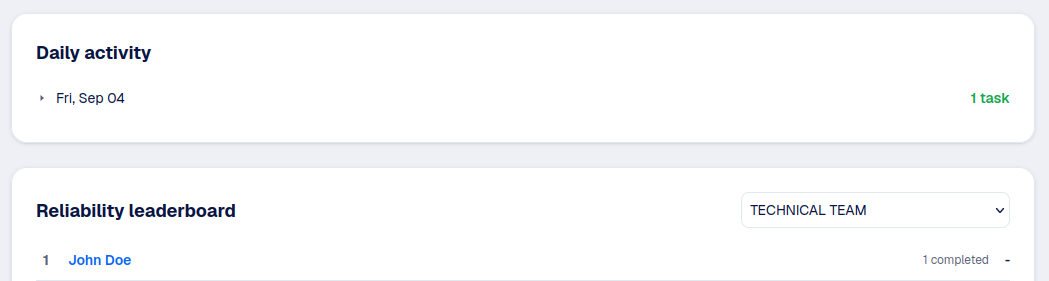
Each office can show a leaderboard ranking its members by reliability over a date range. Whether the whole team can see it, or only managers, is set in that office's settings.
Good to know
This is meant to spot patterns, not to shame anyone. Turn it off for a team where it does more harm than good.
Daily journal
A day by day list of what got validated, so you (or your manager) can look back at any past date without digging through every task individually.